The board visualizes interaction outcomes, turning decisions into a living record visible to the team.
Core Question: How do interactions become visible on the board?
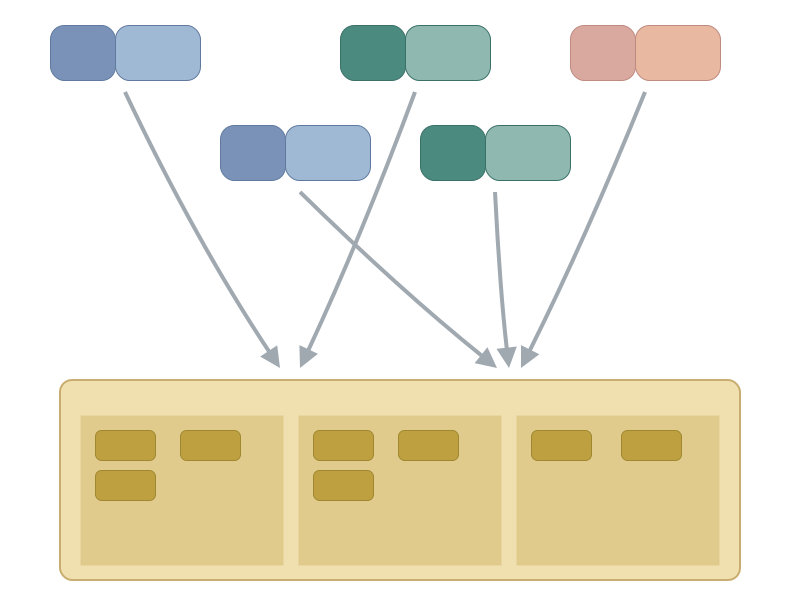
Together with Board → Interactions, this creates a continuous cycle: board state triggers interactions → interactions produce decisions → decisions change the board → new board state triggers the next interaction. The board is not just a passive display — it's a living record of interaction outcomes.
When someone looks at the board, they should be able to see what happened in recent interactions without having been there. A blocker marker tells the story of a standup discussion. A reordered backlog tells the story of a planning session. Items moving to "Done" tell the story of a demo approval. The board becomes the shared memory of the team's decisions.
Details
Interaction Outcomes as Board Changes
Every interaction type produces characteristic board changes:
Interaction | Typical Board Changes |
Daily Standup | Items move forward, blocker markers appear, focus is visible |
Refinement | Items move from Backlog to Ready, estimates appear, "needs clarification" markers |
Planning | Priority order changes, WIP limits set, items committed to sprint |
Demo | Items move to Done, completion dates stamped, feedback captured |
Sync (FL2) | Dependency markers appear, cross-team arrows, unblock dates |
Retrospective | Improvement items added to backlog, process changes noted |
Practical Examples
Standup → Board: Before standup, Story B is in "In Progress." During standup, the team identifies it's blocked on an API from the Platform Team. After standup, Story B gets a red blocker marker: "Waiting for Platform API — Sarah escalates by Thursday." Anyone looking at the board can see the standup outcome without attending.
Refinement → Board: Before refinement, the backlog has 20 unestimated items and "Ready" has 2. After refinement, 5 items have moved to "Ready" with story points, 2 items have "needs clarification" labels, and 1 has a dependency marker. The board tells the story of what refinement accomplished.
FL2 Sync → Board: After a cross-team sync, the FL2 delivery board shows new dependency arrows between Team A and Team B, with an unblock date of Friday. Both teams can see the coordination outcome.
Smells — When to Look Closer
- Interactions that produce no board changes — talking without deciding means the interaction had no tangible outcome
- Delayed board updates — updating hours or days after the interaction makes outcomes invisible when they matter most
- Position-only updates — moving an item to "blocked" without recording why or who owns the resolution loses critical context
- Board as separate reporting — treating updates as an administrative task instead of a natural byproduct of the interaction
Related Patterns
- Board → Interactions is the other direction — reading the board to derive needed interactions
- Board ↔ Meeting Alignment looks at this cycle from the system level
- Meeting Canvas defines what outcomes a meeting should produce — which then become board changes
Your play!
If you want to use this in your worksystems-design sessions, here is all the material you need.
More about this
These patterns are part of the Flight Levels thinking and design model. If you want to learn more, take the Kick start path to Flight Levels Now!